01 / What makes it useful
A helping ear at the media desk
A Bible reference does not have to be spoken perfectly in one sentence. LumosCast uses the surrounding speech to help recognise book names, chapters and verses.
 Get in touch
Church services · Live presentation · Offline-first
Keep up with the message.
Keep the room engaged.
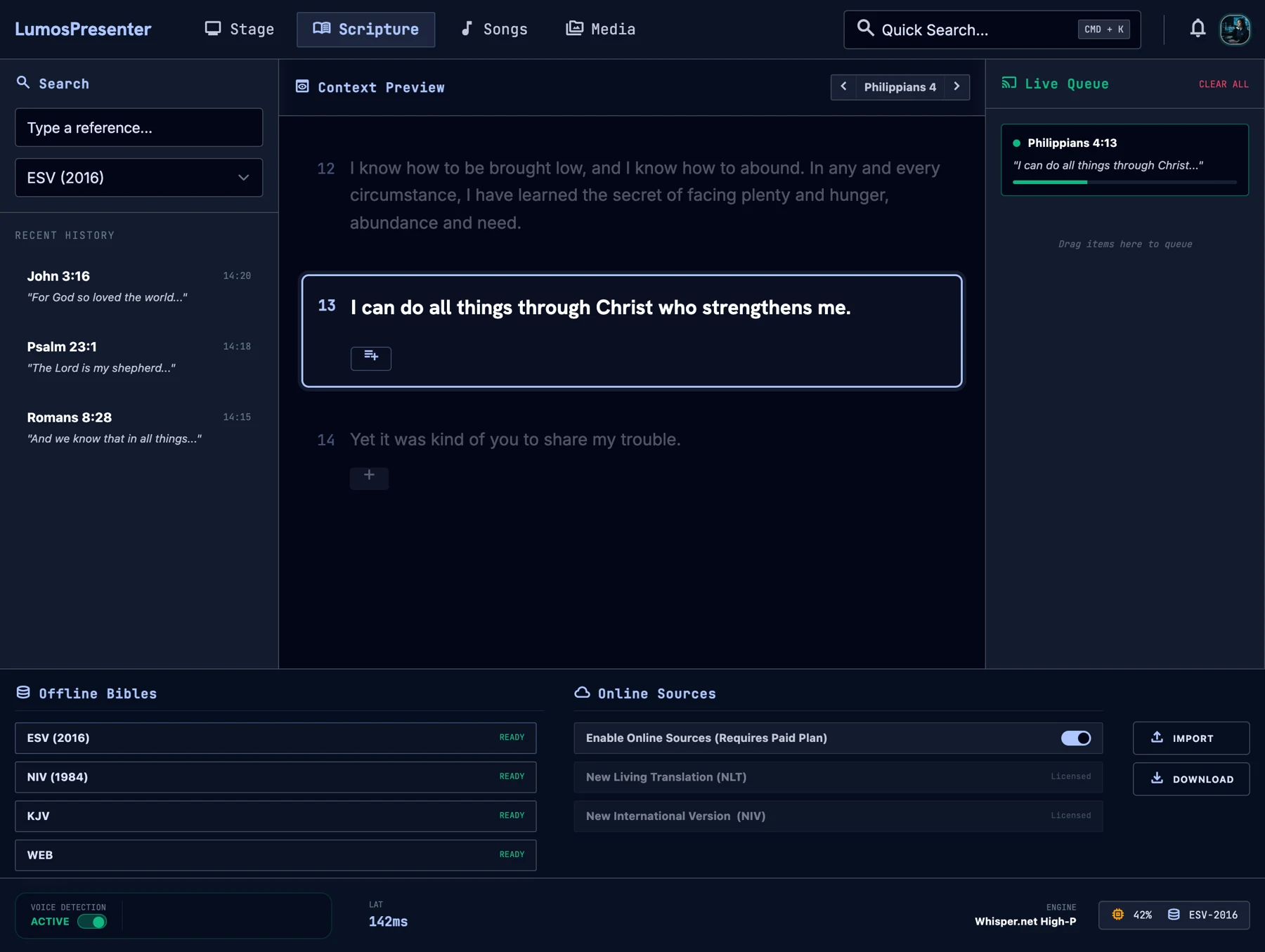
LumosCast helps a church media team put the right Bible passage on screen as a speaker mentions it. It listens, finds the passage and prepares it for the operator, so there is less searching during a live service.
01 / What makes it useful
A Bible reference does not have to be spoken perfectly in one sentence. LumosCast uses the surrounding speech to help recognise book names, chapters and verses.
02 / What makes it useful
Suggested passages can be checked before they reach the screen. The listening assistant supports the person running the service while leaving them in control of what goes live.
03 / What makes it useful
Speech recognition and bundled Bible texts run on the computer. Core scripture presentation can continue without depending on an internet connection.
Give the person at the media desk a clearer path from what is being said to what the congregation sees.
Live listening picks up spoken Bible references and brings possible passages into the operator’s workflow.
Search for scripture manually when needed, with bundled Bible translations available without an internet connection.
Check a passage and prepare the next one before showing it to the room.
Send the presentation to projectors and to OBS, the software used to produce a livestream.
Queue passages so the operator can stay ready as the service moves forward.
A desktop launcher starts the presentation system and helps the operator choose the microphone.
Architecture
Hover or tap a component to trace its connections.
Starts and supervises the server, tray, microphone picker
Pipeline, minimal API and the event broadcaster
Search, preview, confirm and queue passages
Microphone input cut into speech at pauses
Local transcription, biased to scripture vocabulary
Finds references across utterances and scores confidence
One styled page per projector or OBS output
Bundled KJV, ASV and BSB for offline use
Optional NIV, AMP and MSG, cached for 14 days
Technology stack
Next project